Best Laptops Under £800 UK 2026: Top Picks for Work and Study
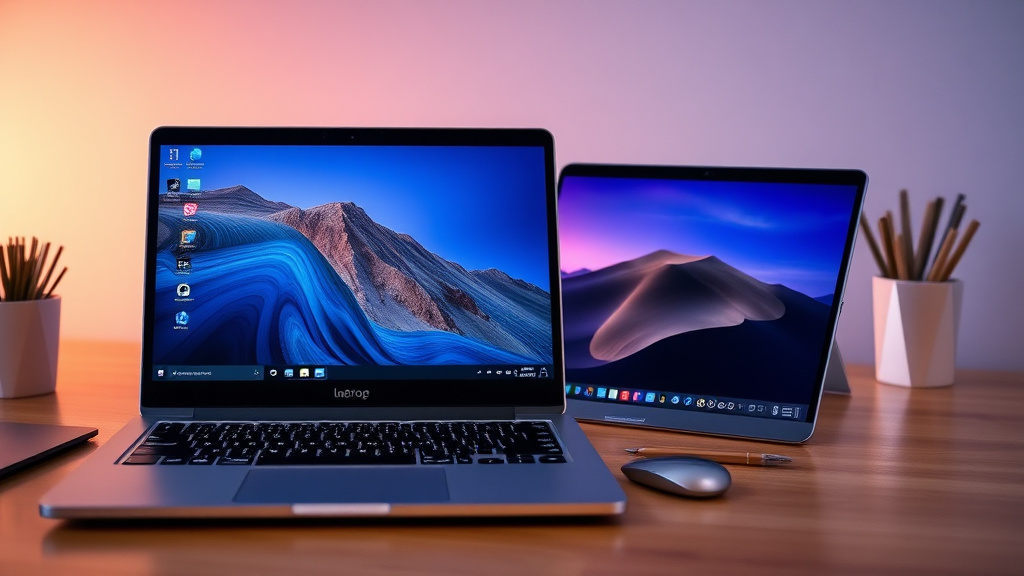
Finding the right laptop under £800 in the UK can transform your workday or study sessions without breaking the bank. In 2026, with prices dropping on powerful Snapdragon X and AMD Ryzen models, you'l...
The Lifetimes UK editorial team curates, fact-checks, and updates guides on personal finance, property, health, immigration, legal, business, and lifestyle topics relevant to Lifetimes UK readers. Articles are produced with AI assistance and reviewed by the editorial team before publication.
Finding the right laptop under £800 in the UK can transform your workday or study sessions without breaking the bank. In 2026, with prices dropping on powerful Snapdragon X and AMD Ryzen models, you'll discover top performers ideal for Brits juggling remote work, university deadlines, or family admin via gov.uk portals.
Why Choose a Laptop Under £800 in 2026?
Today's budget laptops pack premium features like 16GB RAM, 512GB SSDs, and all-day battery life, thanks to efficient Arm-based processors.Arm chips like Snapdragon X deliver MacBook-level performance at half the price, perfect for Microsoft Office, Zoom calls with HMRC, or Google Docs for coursework. Unlike older Intel models, these run cool and quiet, saving on electricity bills amid rising UK energy costs.
For UK users, consider VAT-inclusive pricing from retailers like Currys, Amazon.co.uk, and John Lewis—often with free next-day delivery or student discounts via UNiDAYS. Look for models with UK keyboards (including £ key) and Windows 11 Home pre-installed for seamless compatibility with NHS apps or Universal Credit claims.
Key Specs to Prioritise for Work and Study
- Processor: Snapdragon X or AMD Ryzen AI for multitasking—handles 20+ Chrome tabs plus Excel without lag.
- RAM: At least 16GB for smooth performance; 8GB suffices for basic Chromebooks.
- Storage: 512GB SSD minimum—expandable via cloud like OneDrive or Google Drive.
- Screen: 14-16in Full HD or OLED for eye comfort during long evenings.
- Battery: 10+ hours to last a full uni day or WFH shift.
- Ports: USB-C, HDMI, and headphone jack for connecting to UK projectors or external drives.
Pro tip: Check Which? reviews for real-world battery tests under UK mains voltage.
Top Picks: Best Laptops Under £800 UK 2026
We've curated these based on 2026 deals from trusted sources, focusing on models averaging under £800 with proven reliability for work and study. Prices reflect recent lows from Currys, Amazon, and Argos.
1. Asus Vivobook 16 (X1607QA) – Best Overall for Everyday Power
The Asus Vivobook 16 stands out with its Snapdragon X processor, 16GB RAM, and 512GB SSD, averaging £579 (as low as £429). Its 16in screen is ideal for spreadsheets or dual-window study setups, and the Arm chip rivals M4 MacBooks in efficiency.
- Pros: Lightweight at 1.8kg, 12+ hour battery, vibrant display for video calls.
- Cons: No discrete GPU for heavy gaming.
- Best for: Office workers or A-level students—handles Teams and Moodle effortlessly.
Grab it from Amazon.co.uk for quick Prime delivery.
2. Samsung Galaxy Book4 Edge (15.6in) – Best for Battery Life
At an average £619 (down to £380), this Snapdragon X powerhouse offers 16GB RAM and 256GB SSD. Reviewers praise its powerful processor for seamless multitasking, perfect for UK commuters on trains with spotty Wi-Fi.
- Pros: Stunning 15.6in AMOLED screen, ultra-portable, integrates with Galaxy phones.
- Cons: Storage on the lower side—pair with iCloud or Google One.
- Best for: Remote freelancers editing docs or lecturers prepping slides.
Available at Currys with bundle deals including Microsoft 365.
3. Acer Aspire 16 (NX.JLNEK.006) – Best Value Large Screen
Priced at £709 average (£499 low), featuring Snapdragon X, 16GB RAM, and a massive 1TB SSD. The fast Arm CPU excels at everyday tasks like video editing for YouTube side-hustles or data analysis in R.
- Pros: Huge storage for lecture recordings, crisp 16in display.
- Cons: Slightly heavier at 2kg.
- Best for: Postgraduate researchers or families sharing one device.
4. Lenovo IdeaPad Slim 3x – Best Budget Windows Option
Under £500, this gem from Expert Reviews boasts solid performance for study, with lightweight design and long battery. Ideal entry point for GCSE pupils or apprentices.
- Pros: Affordable, reliable for Word and browsing.
- Cons: 8GB RAM limits heavy multitasking.
5. Asus Zenbook 14 OLED (UM3406) – Premium Feel Under Budget
Averaging £846 but dipping to £749, with AMD Ryzen AI 5, 16GB RAM, and 1TB SSD. Its OLED screen is a treat for graphic design students or accountants poring over HMRC forms.
- Pros: Stunning visuals, fast for creative apps.
- Cons: Webcam average for video interviews.
Honourable Mentions for Students
- Acer Chromebook Plus 514: £269-£349, perfect for Google Workspace fans at uni.
- Lenovo Chromebook Plus Gen 10: £499, octa-core processor for cloud-based study.
How to Buy the Best Laptop Under £800 in the UK
Shop smart with these UK-specific tips:
- Compare Deals: Use PriceSpy or Which? for historical lows—save up to 25%.
- Retailer Perks: Currys offers 6 months free Norton; John Lewis has 2-year warranty.
- Trade-Ins: Amazon and Currys accept old devices for credit.
- Finance Options: 0% APR over 12 months via Klarna, but check eligibility via MoneyHelper.gov.uk.
- Warranties: Opt for extended cover—UK Consumer Rights Act gives 6 years for faulty goods.
Avoid grey imports; stick to UK plugs and CE-marked models for safety.
Laptop Maintenance Tips for Longevity
- Update Windows via Settings > Update & Security for security patches.
- Use a cooling pad for intensive tasks to prevent throttling.
- Back up to external SSD or iCloud—essential for irreplaceable uni work.
- Clean vents monthly to maintain performance amid UK dust.
Next Steps: Find Your Perfect Laptop Today
Head to Currys or Amazon.co.uk now to snag these deals before prices climb. Match your needs—power for work or portability for study—and enjoy reliable performance that keeps up with your busy UK life. For personalised advice, use Which?'s comparison tool or chat with retailers.
Frequently Asked Questions
Sources & References
-
1
Best laptop deals for March 2026 - Which? — www.which.co.uk
-
2
The best laptops to buy in 2026: Tried and tested options — www.expertreviews.co.uk
-
3
Best laptops 2026, tested by tech critics for a range of budgets — www.independent.co.uk
-
4
Best ultrabook and portable lightweight laptop in 2026 — www.ultrabookreview.com
Disclaimer: This article was created with the assistance of AI technology and has been reviewed by our editorial team. It is for informational purposes only and does not constitute legal, tax, or financial advice.